Office 2021 End of Support: What Changes, What to Do

Quick Answer
Office 2021 support ended on October 13, 2026 – no security updates and no ESU. What still works, how to check your version, and three realistic paths.
Not for: Microsoft 365 subscribers — your apps keep updating for as long as the subscription is active; nothing here is urgent for you.
- • Office 2021 (consumer and LTSC) lost security updates, bug fixes and technical support on October 13, 2026 — the same day consumer ESU enrollment closed for Windows 10.
- • There is no ESU for Office: Microsoft’s announcement names only two forward paths — Microsoft 365 Apps, or Office LTSC 2024 (patched until October 9, 2029).
- • The apps keep working and your perpetual license stays valid indefinitely; what ended is the patch stream, so exposure decides urgency.
- • Check what you run in 30 seconds: open any Office app, go to File → Account and read the product name.

01What the October 13 cutoff actually changes for Office
Three things end on the cutoff date: security updates (the regular patch stream for desktop Office), bug fixes, and technical support from Microsoft. None of them end your usage. There is no kill switch, no feature that turns off, and no countdown on your documents — Word still opens every file it opened on October 12.
Your license is not touched either. A perpetual Office 2021 key activates permanently; the clock that ran out is the support window, not the license. That distinction matters, because plenty of sellers and articles blur the two: a valid license on an unsupported version is exactly what millions of Windows 7 machines were for years. Office 2019 sits a year deeper in that exact state — our Office 2019 in 2026 guide covers who it still fits and when to move.
What actually degrades is the risk curve. Vulnerabilities discovered in Office components after October 13 will not get fixes, so exposure accumulates over months, not overnight. For a machine that never touches untrusted files the curve is nearly flat; for a daily browsing and email PC it bends up fast.
02No Office ESU: why Office is unlike Windows 10
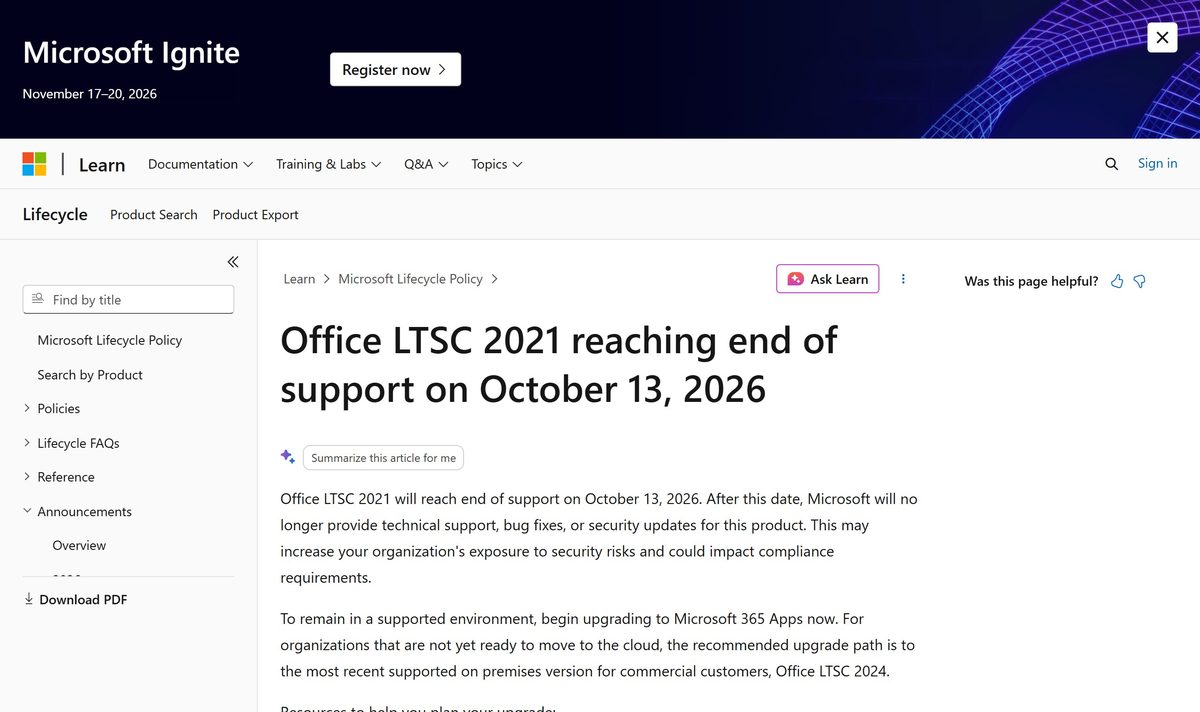
Windows 10 at least had an exit ramp: consumers could enroll in ESU (free, points-based or paid — our Windows 10 ESU enrollment guide covers all three routes) and businesses could buy years of coverage. Office 2021 got no equivalent program. Microsoft’s lifecycle announcement names exactly two forward paths: Microsoft 365 Apps for cloud-ready users, and Office LTSC 2024 as the recommended on-premises upgrade for organizations that are not ready to move to the cloud.
The official wording is blunt: after October 13, 2026, “Microsoft will no longer provide technical support, bug fixes, or security updates for this product,” which “may increase your organization’s exposure to security risks and could impact compliance requirements.” There is no form to fill, no fee to pay, no extension to request.
Why the hard line? Office files are one of the most reliable malware delivery channels in the world — a macro-laden attachment opened in an unpatched Word is the classic entry chain. Antivirus and browser patches reduce exposure at the edges, but they cannot patch Word or Excel themselves. That is why Microsoft pushes every connected machine off unpatched Office rather than selling it more time.

03Check which Office you’re running in 30 seconds
Open Word or Excel, go to File → Account, and read the line under Product Information. You will see one of three things: Office 2021 or Office LTSC Professional Plus 2021 (this article concerns you), Microsoft 365 Apps (you are on the subscription, still patched — nothing urgent), or an older name like Office 2019 or 2016, whose support windows closed even earlier.
If no Office app is installed to open, the installed-programs list in Windows Settings shows the full product name, for example “Microsoft Office Professional Plus 2021”. The About button next to the product name gives the exact build number, which support pages ask for.
In practice we see two very different Office 2021 crowds wearing the same name: home desktops that came with a one-time key and are used for everything, and lab, POS or workshop boxes pinned to a fixed version because some legacy software demands it. The first group usually should move to a supported version; the second often should not touch anything at all. Same product name, opposite decisions — which is why the check comes before any advice.

04Three realistic paths after support ends
Path A — keep it, eyes open. For an offline machine or a single-role box, staying on Office 2021 is a legitimate decision: zero cost, zero migration, and the risk is contained by isolation. Write down that the version is unsupported so the next person who inherits the machine knows.
Path B — Microsoft 365 Apps. The subscription keeps apps current and patched for as long as it is active, adds cloud storage and multi-device rights, and is Microsoft’s own first recommendation in the announcement. The trade is recurring cost and a moving feature set; our Office 2021 vs Microsoft 365 comparison puts one-time and subscription side by side with real numbers.
Path C — Office LTSC 2024. The one-time-purchase successor: fixed features, classic apps, supported until October 9, 2029 per Microsoft’s lifecycle page. It is sold through commercial channels rather than retail boxes and is aimed at controlled desktops that want patches without cloud coupling. Then there is the non-path some readers ask about: freezing the machine entirely, which is risk control (below), not a support program.
| Path | What you get | Security patches | Best fit |
|---|---|---|---|
| Keep Office 2021 | Nothing changes day to day; zero cost | None (ended Oct 13, 2026) | Offline, single-purpose machines |
| Microsoft 365 Apps | Always-current apps, cloud features, 1–6 devices | Continuous while subscribed | Daily-use connected PCs |
| Office LTSC 2024 | One-time purchase, fixed feature set | To Oct 9, 2029 | Controlled business desktops |
| Isolate the machine | No apps or files change | Risk control only | Kiosks, dedicated single-role boxes |
Bottom line: daily browsing and email machines should leave Office 2021 this quarter; isolated, single-purpose machines can stay without guilt.
05Keeping Office 2021 anyway: how to shrink the risk
Sort the Windows side first. Office patches rode on top of an OS that itself needs patching; if the machine still runs Windows 10, its consumer ESU enrollment closed the same October 13 day — the ESU enrollment guide walks through status checks and the three enrollment routes. An unpatched Office on a patched Windows is half-protected; the reverse is not much better.
Then tighten file handling. Leave Protected View on (it is the default), never enable macros in documents from unknown senders, and treat the yellow “Enable Editing” bar on downloaded files as a stop sign rather than a nuisance. Most real-world Office compromises do not exploit exotic vulnerabilities — they start with a user clicking through exactly that bar.
Finally shrink exposure: keep the browser and antivirus current (both still self-update), keep the machine off open networks where its role allows, and set a review date — six months out — to revisit the decision instead of letting it drift. Risk control buys planning time; it does not replace a patch stream.
06Fast answers before you plan the move
Does Office 2021 stop working? No — activation is permanent, apps launch, files open; only the patch stream ended. Can I still buy an Office 2021 license? Yes — keys activate and licenses stay valid indefinitely, and retail channels (including our Office 2021 Pro Plus listing) continue to serve offline and fixed-role machines; the decision is about exposure, not validity. What about Office 2019? Its support window closed earlier, on October 14, 2025 — 2021 was the last perpetual release many home PCs will have run on a five-year clock.
Bottom line: the license survives, the protection does not — plan around exposure, not around activation.

FAQ
Can I keep using Office 2021 after October 13, 2026?
Yes. Apps launch, files open and activation is permanent – what ended is the security-update stream. The practical question is exposure: an offline or single-purpose machine is a very different risk than a daily browsing and email PC.
Is there an ESU program for Office like there was for Windows 10?
No. Microsoft’s extended-security program exists for Windows 10 only. For Office 2021 the announcement names two forward paths – Microsoft 365 Apps, or Office LTSC 2024, which is supported until October 9, 2029.
Can I still buy an Office 2021 license in 2026?
Yes – perpetual keys still activate and the license remains valid indefinitely, which is why our Office 2021 Pro Plus listing continues to serve offline, lab and fixed-role machines. For daily internet-connected use, plan the move to a patched version instead.
How do I tell Office 2021 and Microsoft 365 apart?
Open any Office app and go to File, then Account: the Product Information line names the exact product. ‘Microsoft 365 Apps’ is the subscription and keeps patching while active; ‘Office 2021’ or ‘Office LTSC 2021’ is the one-time purchase whose support ended.
External References
- • Microsoft Learn — lifecycle announcement: Office LTSC 2021 end of support (Oct 13, 2026)
- • Microsoft Learn — lifecycle: Office 2021
- • Microsoft Learn — lifecycle: Office LTSC 2021
- • Microsoft Learn — lifecycle: Office LTSC 2024 (to Oct 9, 2029)
- • Microsoft Support — Office 2024 and Office LTSC 2024 FAQ
KeyStarter is a Microsoft legitimate reseller/Distributor. This article was compiled with AI assistance for research and drafting and has been editorially reviewed. Prices shown at checkout reflect dealer quotes, not Microsoft official pricing.