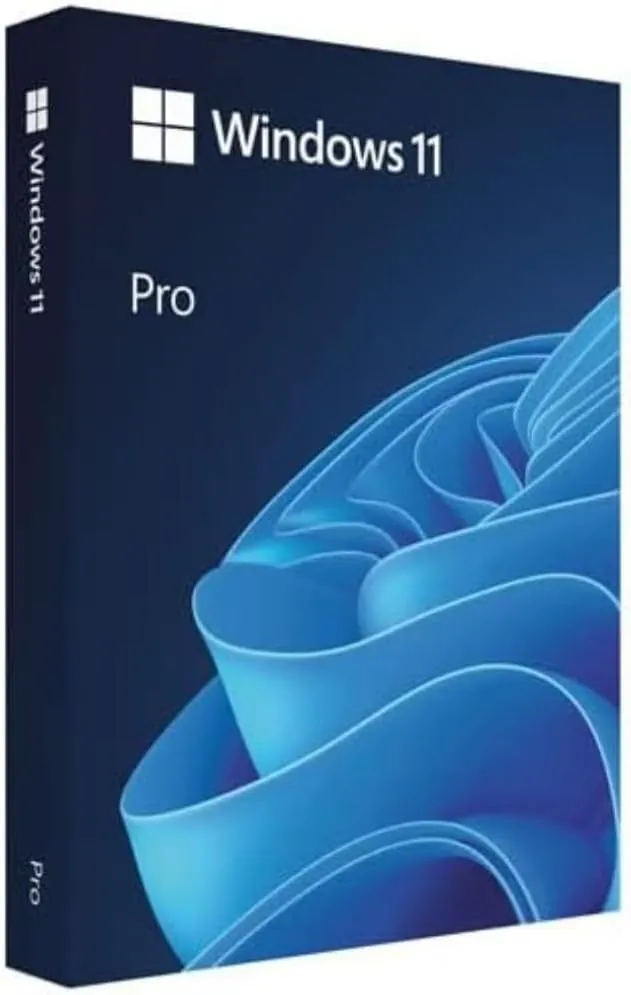
Windows 11 Pro OEM Key

Windows 11 Pro OEM Key
Genuine Digital License

Windows 11 Pro OEM Key

$18.00

Windows 11 Pro OEM key for business and power users. Adds BitLocker, Remote Desktop, Hyper-V, Windows Sandbox, and Group Policy on top of Windows 11 Home.

BitLockerRemote DesktopHyper-VWindows SandboxGroup PolicyLifetime OEM
Secure Checkout
SSL Encrypted
Instant Delivery
Within 10 Minutes
Genuine License
100% Authentic
14-Day Refund
No activation risk
Activation Success
Verified keys
FAQ & Help

Features

BitLocker device encryption for complete data protection
Remote Desktop for secure remote access to your PC
Hyper-V for running virtual machines and testing environments
Windows Sandbox for safe application testing in isolated containers
Group Policy Management for centralized IT control
Assigned Access for dedicated kiosk and single-app configurations
Windows Information Protection for enterprise data security
Microsoft Remote Desktop Services for multi-user scenarios

Product Details

versionWindows 11 Pro
platformPC / 64-bit
langMulti-language
activationDigital License
typeOEM
supportLifetime

How It Works

1
Purchase & Pay
Complete secure checkout via PayPal or Stripe
2
Receive Instantly
License key delivered to your email within minutes
3
Activate & Enjoy
Follow email instructions to activate your license

System Requirements

CPU1 GHz or faster, 2+ cores, 64-bit compatible processor
RAM4 GB minimum, 8 GB recommended
Storage64 GB minimum, 128 GB recommended (SSD preferred)
TPMTrusted Platform Module 2.0 required
UEFIUEFI firmware with Secure Boot capability
GPUDirectX 12 compatible / WDDM 2.0
Display720p display, 8+ bit color depth, 9+ inch diagonal
InternetRequired for updates; Microsoft account for personal use
MS AccountMicrosoft account required for personal use features

Windows 11 Pro OEM vs Retail: Which One Fits You?

An OEM Windows 11 Pro key activates one PC and stays tied to its motherboard, which makes it the cost-effective pick for the machine you keep. A retail key can move to a new PC later and comes with Microsoft direct-order proof — see the Windows 11 Pro Official (retail) edition if you rebuild or resell PCs. Both unlock the identical Pro feature set: BitLocker, Remote Desktop host, Hyper-V and Group Policy. Still weighing the move up from Home? The Home to Pro upgrade guide walks the whole path.

How to Activate Your Windows 11 Pro Key

After checkout the key arrives by email within minutes. Open Settings > System > Activation > Change product key, enter the 25-character key and restart — Windows upgrades and activates in place, keeping your files and apps. The full walkthrough lives in our Windows 11 activation guide, and if you are moving up from Home, the Home to Pro upgrade guide covers the edition switch plus fixes for errors 0xc004f050 and 0xc004f069.

License Type

OEM (Original Equipment Manufacturer) License

An OEM license is sold per device, activates for the lifetime of that device, and receives official Windows/Office updates. It is sourced through authorized Microsoft partner channels.

What you can do
  • ✓Activate 1 PC for its lifetime
  • ✓Receive official security and feature updates
  • ✓Reinstall on the same device as often as needed
Limitations
  • ✕Be moved to a different PC after activation
  • ✕Be resold or transferred after activation

If Activation Fails

Free replacement · 14-day refund · 24h support response
Content last updated: Sep 24, 2026
  1. 1Activate fails or shows an error code? First confirm you installed from the official Microsoft ISO/installer linked in your delivery email — unofficial media is the most common cause.
  2. 2Still failing? Contact support with your order number and the exact error message. Our team responds within 24 hours (priority channel for enterprise orders).
  3. 3If the key cannot be activated through no fault of yours, we replace it free of charge — or refund you within 14 days of purchase.

Quick Answer

Windows 11 Pro OEM Key is a genuine OEM license delivered by email within 10 minutes of purchase. The key activates via digital license on PC / 64-bit, includes lifetime support, and is covered by our activation guarantee: if the key fails to activate through no fault of yours, we replace it free of charge or refund you within 14 days. Buying for a team? Request a volume quote — 5+ keys qualify for tiered pricing with VAT invoices.

Need 5 or more licenses?

Volume pricing from 5 keys · VAT invoices · PO purchasing · CSV bulk delivery · custom quote in 24h

Get a Volume Quote

Windows 11 Editions

BitLocker Encryption
NoYes
Remote Desktop
NoYes
Hyper-V + Windows Sandbox
NoYes
Group Policy + WIP
NoYes
Min RAM
4 GB4 GB
Max RAM
128 GB2 TB
Min Storage
64 GB64 GB
TPM 2.0 Required
YesYes
Snap Layouts / Teams / Widgets
YesYes
Windows Hello
YesYes
Recommended For
Home users, studentsBusiness, IT, power users
Price
$13Best Value$18

FAQ

What is the difference between Home and Pro?
Pro includes BitLocker encryption, Remote Desktop, Hyper-V virtualization, Windows Sandbox, and Group Policy management.
Can I upgrade from Home to Pro later?
Yes. You can upgrade at any time via Settings > Activation > Change product key.
Does this include free updates?
Yes. OEM licenses include all security and cumulative updates.
What if I already have Windows installed?
You can simply enter the new product key in Settings > Update & Security > Activation.
How long does delivery take?
Delivery is instant -- your license key is sent via email within minutes after payment confirmation, and in most cases within 10 minutes.
Is this a genuine license?
Yes. All licenses sold on KeyStarter are 100% genuine. OEM keys are sourced from authorized Microsoft partners.
Will I receive a physical disc or USB?
No physical media is included. You will receive a digital license key via email.
Can I use this on multiple computers?
Each license is for one device only.
Do you offer refunds?
We offer refunds within 14 days of purchase if your key was not delivered or is invalid and cannot be replaced. Contact [email protected] for activation issues.

Write a Review

Reviews are moderated. Add your order number to get a Verified badge.