Office 2021 Professional Plus Key: Buy & Install Guide
Windows licensing & activation troubleshooting · real buyer tickets + Microsoft docs, re-checked monthly
Quick Answer
Who should still buy it: anyone pinned to the 2021 app set for add-in or macro compatibility, offline perpetual use, or older Windows 10 machines. Everyone else should weigh the migration paths we covered last week – Office 2024 resets the support clock to October 2029.
03 Where should you buy? 04 What should you pay?
05 Install with the Deployment Tool 06 Activate the key
07 FAQ
• Support vs activation: end of support (October 13, 2026) stopped security updates, bug fixes and phone support. Activation servers keep working – your key still activates online or by phone.
• Channel matters: Professional Plus has always been the volume-license edition (LTSC 2021 family). It installs with the Office Deployment Tool using product ID ProPlus2021Volume on the PerpetualVL2021 channel – not from a retail box.
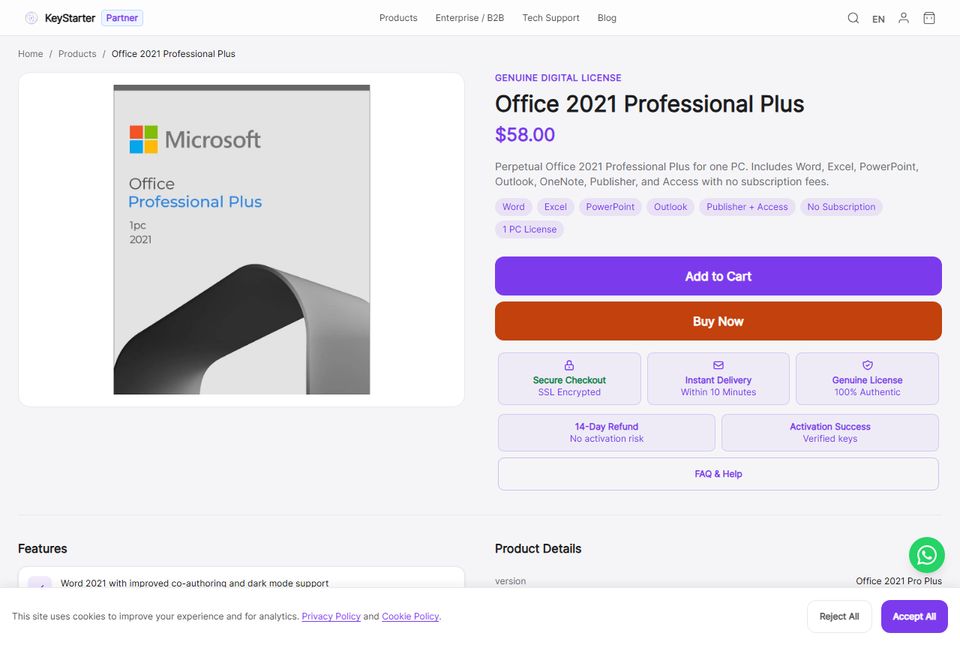
• Fair price: about USD 58 for one PC from a key store at publish time, versus the old retail Professional box at roughly three times that. If a listing is far below market, treat it as a risk signal, not a bargain.
• Install is scripted: two commands – setup.exe /download then setup.exe /configure – after a one-time configuration.xml edit.
01What is Office 2021 Professional Plus, exactly?
It is the largest perpetual edition in the Office 2021 family: Word, Excel, PowerPoint, Outlook, Access, Publisher and OneNote for one PC, with no subscription and no feature updates after release. One detail trips up buyers every October: Professional Plus was never a retail box edition. Microsoft sells consumers Home & Student, Home & Business or Professional at retail; Professional Plus ships through volume licensing as part of the Office LTSC 2021 family. That is why every legitimate 2021 Pro Plus key you see on the market is a volume-channel license, and why the install flow uses the same tool IT departments use.
The apps themselves are the real 2021 versions – the ones Microsoft shipped on October 5, 2021 – running on Windows 10 or Windows 11. Microsoft documents the volume lineup and its app list in the Office LTSC 2021 overview (linked in the references below). No Teams: Microsoft pulled Teams out of all Office 2021 editions, so install it separately if you need it.
02Can you still buy it and activate it after support ended?
Yes, and the distinction is the whole game. End of support changed what Microsoft ships; it did not switch anything off. Since October 13, 2026, Office 2021 receives no security updates, no non-security bug fixes and no technical support – the same lifecycle date applies to the retail and volume editions. What still works: online activation, phone activation, and the apps themselves. Your documents do not stop opening on any particular date.
The practical risk is cumulative: an unpatched copy of Office facing document-borne exploits month after month. If you buy the 2021 edition in late 2026, you are buying a known feature set at a discount, not a supported product. Pair it with disciplined habits – no macros from untrusted sources, an up-to-date Windows install – or plan your move to the 2024 edition on your own schedule. We walked through every migration path, including LTSC 2024 and Microsoft 365, in a dedicated post.
Bottom line. buying Office 2021 Pro Plus in November 2026 is a compatibility decision, not a value mistake – the key outlives the support date, but the security clock has already run out.
03Where should you buy an Office 2021 Professional Plus key?
With retail boxes discontinued, the market is key resellers – and their quality varies wildly. The table below is the honest map. The sellers worth shortlisting are the ones that state the channel openly, deliver by email within minutes, and replace keys that fail activation. Our license buying safety guide goes deeper on vetting any seller.
| Source | What you get | Watch out for |
|---|---|---|
| Key stores (like KeyStarter) | Volume-channel key, instant email delivery, activation guarantee, install guidance | Prices vary between stores; check the checkout page for the live number |
| Marketplace / auction listings | Often valid keys at unusually low prices | Unknown history: previously activated, mistyped or stolen keys – support ends when the chat does |
| Free key generators + YouTube giveaways | Nothing usable | Malware bait; the key either fails activation or never existed |
| Old retail stock (Professional 2021 box) | Genuine retail license where still shelved | Pro Plus was never in these boxes; stock is dwindling and overpriced |
Bottom line. buy from a store that puts its name, delivery promise and replacement policy on the listing – an anonymous $20 key that dies at activation is the most expensive way to save money.
04What should an Office 2021 Professional Plus key cost?
At the time of writing, KeyStarter lists Office 2021 Professional Plus at $58 for one PC – the checkout page always shows the current price. For context, Microsoft’s retail Office Professional 2021 box sold for $219.99, so the volume channel is the reason long-time buyers cite for never paying box prices again. Multi-PC packs and a Windows 11 Pro + Office 2021 bundle have their own listings if one license is not enough.
Treat extreme outliers accordingly. Volume keys sold in bulk to organizations sometimes leak onto consumer marketplaces below cost; those activate today and can be deactivated tomorrow when the volume agreement is audited. A store price near the market rate is itself a signal – it means the seller expects the key to keep working, because replacements cost them money.
| Office 2021 Professional Plus 1 PC · THIS GUIDE
Best for: the exact edition covered here – Word through Publisher, perpetual
|
Check price ↗ |
| Office 2021 Pro Plus 3-PC Pack
Best for: households and small offices activating three machines
|
Check price ↗ |
| Windows 11 Pro + Office 2021 Bundle
Best for: a full Windows 10/11 refresh in one purchase
|
Check price ↗ |
| Windows 11 Pro BEST SELLER
Best for: the OS Office 2021 is happiest to run on
|
Check price ↗ |
Disclosure: links go to KeyStarter products; we may earn from qualifying purchases. Prices are set at checkout.
05How to install Office 2021 Pro Plus with the Deployment Tool
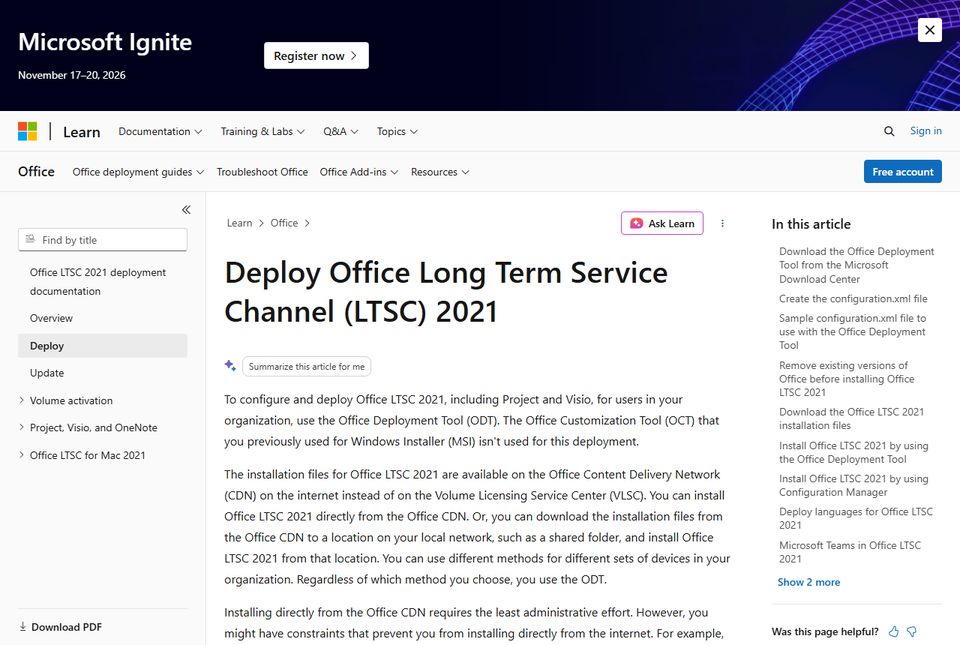
Volume editions do not ship installers; they ship a configuration. Microsoft’s official tool is the free Office Deployment Tool (ODT), and its steps for LTSC 2021 are documented on Microsoft Learn (reference list below). The short version, tested against the current tool:
1Download the Office Deployment Tool from Microsoft’s download center and run it; accept the license and pick a folder – it extracts setup.exe and a sample configuration.xml.
2Open configuration.xml and set it up for this edition: 64-bit apps, the PerpetualVL2021 channel, and product ID ProPlus2021Volume (the block below is a working starting point).
3Download the install source: open a command prompt in that folder and run setup.exe /download configuration.xml – a multi-GB Office folder appears; leave it alone until it finishes.
4Install: run setup.exe /configure configuration.xml. The desktop apps install and activate-ready; no wizard clicking beyond the first launch.
5If you would rather watch screenshots of the same flow for the older sibling edition, our Office 2019 Pro Plus install walkthrough follows the identical ODT pattern.
<Add OfficeClientEdition=”64″ Channel=”PerpetualVL2021″>
<Product ID=”ProPlus2021Volume”>
<Language ID=”en-us” />
</Product>
</Add>
<Display Level=”Full” AcceptEULA=”TRUE” />
</Configuration>
Two honest notes. First, you can embed your key in the XML with a PIDKEY attribute, but you do not have to – entering it at first launch works the same and keeps the key out of files you might share. Second, Microsoft’s Office Customization Tool (config.office.com) can generate this XML in a browser if you would rather click than type.
06How to activate your Office 2021 Professional Plus key
Open any app – Word, say – and the activation prompt appears on first launch, or you can go to File > Account > Activate Product. Enter the 25-character key from your delivery email, sign-in is not required for volume keys, and online activation completes in seconds while the machine is online. Offline machines activate by phone: the wizard shows the number and an installation ID.
If activation fails, the error code tells you which fix applies – a service that will not start (error 0x80070422), an exhausted key (0xC004C008), or a licensing server problem all have different remedies, and we maintain step-by-step guides for the common ones. One rule applies to all of them: confirm the key was typed with no substitutions – 0/O and 1/I mix-ups account for a steady share of support tickets, and a correctly delivered key from a reputable store gets replaced free when it is genuinely dead.
Bottom line. activation is server-side and still online: a genuine 2021 volume key activates today exactly as it did in 2021 – support ending changed updates, not the license servers.
07Office 2021 Professional Plus key FAQ
Where can I buy an Office 2021 Professional Plus key?
From a key store that sells the volume channel openly and replaces dead keys. KeyStarter lists Office 2021 Professional Plus with instant email delivery (within 10 minutes), verified keys and a 14-day refund window – the Office 2021 Professional Plus product page shows the live price and current stock. Checkout always shows the authoritative current price.
Do Office 2021 keys still activate after October 2026?
Yes. End of support stopped security updates, bug fixes and Microsoft support calls – it did not turn off activation. Volume and retail keys for Office 2021 still activate online or by phone, and the apps keep working. What you stop receiving is the monthly security stream, which is why the edition suits compatibility-first machines more than internet-exposed daily drivers.
Is Office 2021 Professional Plus the same as Office LTSC 2021?
Professional Plus 2021 belongs to the LTSC 2021 family – it is the volume-channel edition with the full desktop app set (Word, Excel, PowerPoint, Outlook, Access, Publisher, OneNote). It installs with the Office Deployment Tool using product ID ProPlus2021Volume on the PerpetualVL2021 channel. Retail buyers got Home & Student, Home & Business or Professional instead; the box editions never included a Professional Plus SKU.
How much should I expect to pay?
USD 58 for one PC at KeyStarter at the time of writing (October 28, 2026), with multi-PC packs and a Windows 11 + Office bundle priced separately on their own listings. For scale: the retail Office Professional 2021 box cost $219.99 when sold new. If a stranger offers a new key at a tenth of market rate, assume it will not survive its first audit.
Does it run on Windows 10 or only Windows 11?
Both. Office 2021 installs on Windows 10 and Windows 11 (64-bit; roughly 4 GB RAM and 4 GB of disk). One caveat pairs the two products: Windows 10 itself left standard support in October 2025, so a 2021 Office + Windows 10 machine is a double end-of-support setup – fine for a sandbox, worth planning out of for a daily PC.
External References
- Deploy Office LTSC 2021 – Microsoft Learn (ODT steps, ProPlus2021Volume)
- Configuration options for the Office Deployment Tool – Microsoft Learn
- Office 2021 lifecycle (end of support October 13, 2026) – Microsoft Learn
- Office LTSC 2021 overview (app list, requirements) – Microsoft Learn
- Office Deployment Tool download – Microsoft Download Center
- Office Customization Tool – configuration.xml generator
Written by the KeyStarter Editorial Team, with AI-assisted research; sources verified and linked above.