Microsoft Word 2021: Price, Install and Activation Guide

Quick Answer
Word 2021 is not sold standalone. What it costs inside Office 2021 ($58 one-time), what ended on October 13 2026, and how to install, activate and decide.
- • Word 2021 is suite-only: buying it means buying an Office 2021 license.
- • Support ended October 13, 2026 — patches stop, activation and documents keep working.
- • Cheapest one-time route today: an Office 2021 Professional Plus key at $58.
- • Subscription-free with security fixes: Office Home 2024, $149.99, supported to 2029.

01Can you buy Word 2021 on its own?
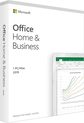
No. For home and small-business users Microsoft has never sold Word 2021 as a standalone app — Word ships only inside the Office 2021 suite (Word, Excel, PowerPoint, plus Outlook in Professional editions). Standalone consumer Word apps ended back in the Word 2013/2016 Store era.
So in practice, “buying Word 2021” means buying an Office 2021 license and installing just the Word app from it, which the suite installer allows. Enterprises have a separate route (Word LTSC via volume licensing), priced per device and nothing like consumer pricing.
02What ended on October 13, 2026
Office 2021 reached the end of its support window on October 13, 2026. Three things stopped that day: security patches, bug fixes, and Microsoft support requests. Three things did not: your license stays valid, activation servers stay up (Microsoft has kept them running for Office 2010 through 2019 long past their end dates), and documents keep opening, editing and saving normally.
The real cost of staying on an unsupported Word is exposure: Word is the most-phished file format on earth, and vulnerabilities discovered after the cutoff will never be patched. For an offline writing machine that is a contained risk; for a daily-driver PC that opens email attachments, plan an upgrade path.
03Your three options in 2026, compared
1. Keep Office 2021. Costs nothing more if you already own it; a fresh Professional Plus key is $58. Best for offline writing and low-risk documents. Accept: no more security patches.
2. Office Home 2024 (perpetual). $149.99 one-time at Microsoft, security updates through October 9, 2029. The current no-subscription release with the longest runway.
3. Microsoft 365 Personal. $9.99/month (or $99.99/year). Always-current Word plus 1 TB OneDrive and Copilot features, on multiple devices — the most flexible route if you work across several machines.

04How to install and activate Word 2021
1. Get an Office 2021 license (suite key — see the standalone note above). 2. Go to setup.office.com, sign in with your Microsoft account, and enter the 25-character product key. 3. Download and run the suite installer; untick the apps you do not want if you only need Word. 4. Open Word, sign in or enter the key when prompted — activation is online and takes seconds. 5. From now on, decline feature-update prompts in Account settings; there will be no more of them.
Re-installs on the same PC are trouble-free because the license binds to your Microsoft account after redemption. A motherboard or CPU replacement changes the hardware fingerprint and can require re-activation — the offline route is phone activation, covered step by step in our Office 2021 phone activation guide.
05Activation issues: the quick triage
Key says already used: the key was redeemed by another Microsoft account — sign in with that account instead of re-entering the key. License disappears after a hardware change: run Office repair, then re-activate; if the account route fails, use phone activation. Error codes during activation: our activation failure guide covers the Windows-side codes that also block Office license checks.
06Should you upgrade, or stay?
Writers with local workflows lose almost nothing by staying on Word 2021 — the feature set has been frozen for years and the files still open everywhere. Upgrade if you handle untrusted documents daily (patch stream matters), if you need Word on several devices, or if you want Copilot and the 1 TB OneDrive allowance. The candid version of that judgement call is in our Office 2021 still-worth-buying assessment.
FAQ
Is Word 2021 still available to buy?
Only as part of the Office 2021 suite, and retail stock is winding down. Third-party marketplaces still carry keys — buy from sellers with a refund guarantee, and expect $58–$150 depending on edition and seller.
Will Word 2021 stop working after October 13, 2026?
No. End of support ends security patches, not the license. Activation servers stay up and documents keep working — Microsoft has never remotely disabled a perpetual Office version at end of support.
What is the cheapest way to get Word without a subscription?
An Office 2021 suite key (about $58 today) is the cheapest legitimate one-time route; Office Home 2024 at $149.99 buys security updates through 2029. A Word-only consumer app does not exist.
Does a Word 2021 license work on more than one PC?
No — each Office 2021 license binds to one PC or Mac (and one Microsoft account). For multiple devices, buy additional licenses or use Microsoft 365.
External References
- • Microsoft Lifecycle — Office 2021 end of support
- • Microsoft — Office Home 2024 (one-time purchase)
- • Microsoft — Microsoft 365 vs Office 2024 differences
- • Microsoft — Office product key redemption (setup.office.com)
- • Microsoft — Microsoft 365 plans and pricing
KeyStarter is a Microsoft legitimate reseller/Distributor. This article was compiled with AI assistance for research and drafting and has been editorially reviewed. Prices shown at checkout reflect dealer quotes, not Microsoft official pricing.